OK, I know everyone is busy preparing for the big week next week - or maybe you're super organized and you're all ready to go - but I wanted to share what we will be using for our shared reading next week. Just makes me happy!
It was inspired by the fabulous Mrs. Parker on TBA last week. She shared an adorable Read Across America Bookmark, which I promptly printed for my class. If you haven't already, you must go and download them immediately!
As I was reading the bookmark I thought this would be the perfect shared reading for next week. It has some easy, peasy sight words for my struggling ones and some vowel teams for my higher ones.
Anywhoo, with Mrs. Parker's permission, I have made a large version for shared reading and a corresponding pocket chart version.
If I had a red pocket chart I could have achieved the same effect with only white cards :)
For the shared reading: I printed odd numbered pages on white and even numbered pages on red. I put the sentences together in strips, arranged them on a sheet of poster board, and then traced a hat shape around them with a Sharpie. I had to used a second sheet for the brim of the hat and just taped them together.
Here is the shared reading.
Here is the pocket chart version. (Again, I alternated the pages between white and red when I printed)
And last but not least, an individual student sequencing sheet.
Thank you Mrs. Parker for your inspiration! Wishing everyone an amazing week of Seuss-filled fun and learning!

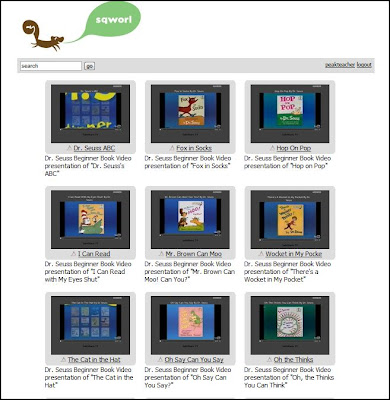
This is just a quick post to share a Dr. Seuss sqworl I created for my kids to use at listening center next week. I shared it with my team and thought you might find it useful too as you embark on all things Suessy next week. It has links to a variety of Dr. Seuss videos.
There are tons of videos out there, but since I am planning on using this at my listening center next week, they are all about 10 minutes or less in length. The other beautiful thing about this sqworl is that I ran all of the video links through SafeShare.
I love SafeShare. If you have never used it, you must go check it out! It's super simple to use. All you do is paste the URL for the YouTube video into the box and click "Generate Safe Link." It will generate a unique link which will play original YouTube video with all of the other distractions of YouTube filtered out. It's so simple to use that you can generate a safe link within seconds. I use it all the time in my classroom.
Below is a screen shot of what you or your students will see when you click on a link for a video.
It's the YouTube video, but all your little darlings can see is the video. Everything else is blacked out. It's perfect because their only options are to watch the video, pause it, or close the window. No trolling around YouTube or begging to watch "related" videos!
If YouTube is blocked at your school, this may be a work around for you. Teachers in my district have to access YouTube, so I don't know if this is any more filter friendly than YouTube, but it seems like it should be.